
Request extra nights before or after your tour, often at the same hotel your tour starts or ends at.
Most operators can arrange extra nights of accommodation before or after your tour, often at the same hotel the tour uses at the start or end. You can request extra nights from your booking, and the operator will send you a quote that you can accept or decline.
Can I book extra hotel nights before or after my tour?
Most operators offer extra nights before or after the tour, although not every operator does, and availability isn't guaranteed. When the operator arranges your extra nights, they'll usually book you into the same hotel the tour uses at the start or end, so you're already in the right place when your tour begins or after it finishes. To find out which hotels your tour uses, see How do I know which accommodations the tour stays at?
You can request extra nights after you've booked your tour, so there's no need to arrange them before you book.
How do I request extra nights?
-
Log in to your TourRadar account.
-
Open your account menu and select Bookings.
-
Select your booking. This opens your Booking Conversation Page.
-
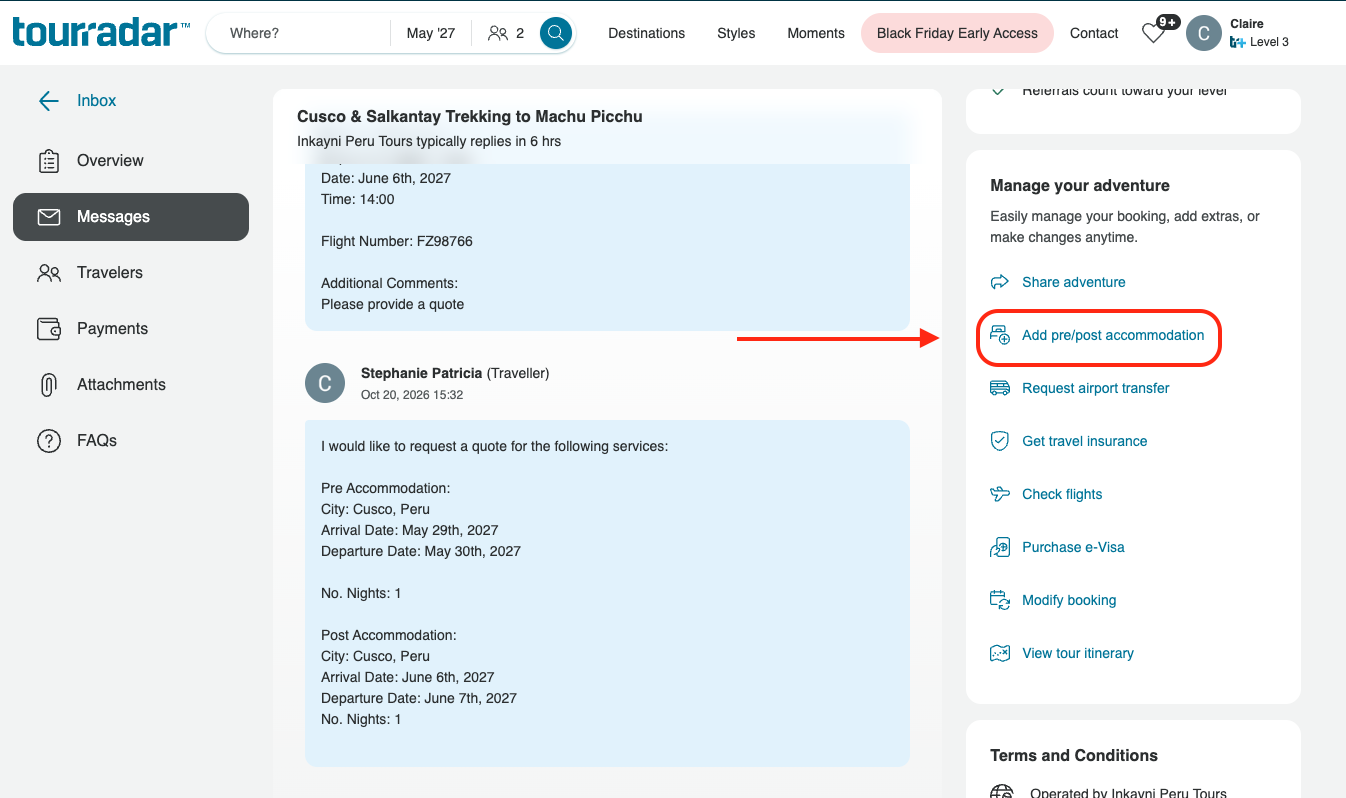
Select the Add pre/post accommodation button.
-
Select Pre Tour, Post Tour or both, and enter the From and To dates for your extra nights. The form shows where and when your tour starts and ends, to help you choose your dates.
-
Add any details in Additional Notes, for example if you'd like to stay at the same hotel as the start or end of your tour. This is optional.
-
Select the Request Extra Accommodation button.
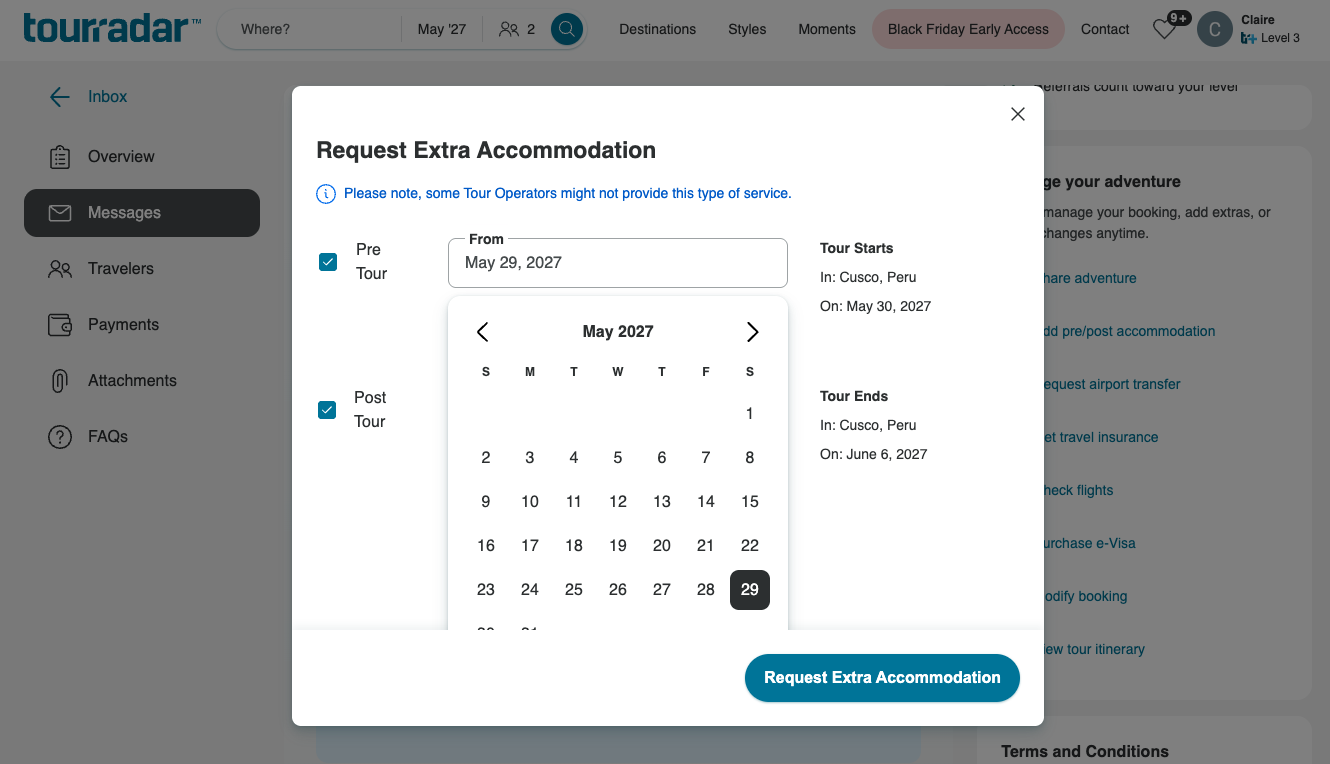
Your request is sent to the operator as a message on the Messages tab, asking them for a quote. If you prefer, you can also write to the operator directly from the Messages tab instead.
What happens after I send my request?
The operator will reply once they've received your message and been able to get a quote. They may need to check availability and prices with the hotel, and may be in a different time zone, so in general allow 1 to 3 business days.
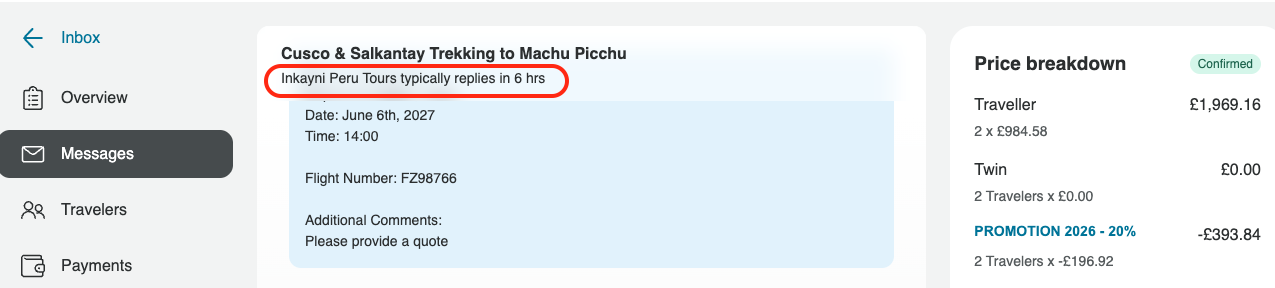
You can see how quickly this operator typically replies on the Messages tab of your Booking Conversation Page.
If extra nights are available, the operator will reply with a price. If you're happy with it, reply to let them know, and they'll add the extra nights to your booking.
How do I accept and pay for my extra nights?
When the operator adds the extra nights, the price of your booking changes, and you'll receive an email asking you to review the change.
-
Open your Booking Conversation Page. The link in the email takes you straight there.
-
Select the Review changes button. You'll find it on both the Overview and Messages tabs.
-
Check the new total and the card it will be charged to.
-
Select the Accept and pay button to add the extra nights to your booking, or select Decline changes if you no longer want them.
Once you accept, the payment depends on where you are with your booking:
-
Fully paid: the cost of the extra nights is charged to your card on file straight away.
-
Balance still to pay: the cost is added to your remaining balance and paid in line with your payment schedule, including installments.
If your plans change after you've accepted, see How can I cancel my pre/post accommodation?
Can I book extra nights myself instead?
Yes, you're welcome to book your own accommodation. As the tour's hotel may not be confirmed until closer to departure, the operator may not be able to tell you the exact hotel name far in advance. Booking through the operator is the easiest way to stay at the same hotel as your tour.
If you book somewhere else, you'll need to make your own way to the tour's starting point before it begins, and from the end point after it finishes. Find out more in How do I find out where my tour starts?.
Still need help? Our Customer Support team is here 24/7. Contact us.
Related questions
-
What should I do if my flight arrives early or leaves after my tour ends?
-
What is the Booking Conversation Page, and how do I find it?