
Find out if airport transfers are included in your tour, and how to book or request one if they're not.
Some tours include an airport pick-up or drop-off and others don't. If your tour doesn't include an airport transfer, you may be able to book one through the operator.
How do I check if a tour includes airport transfers before I book?
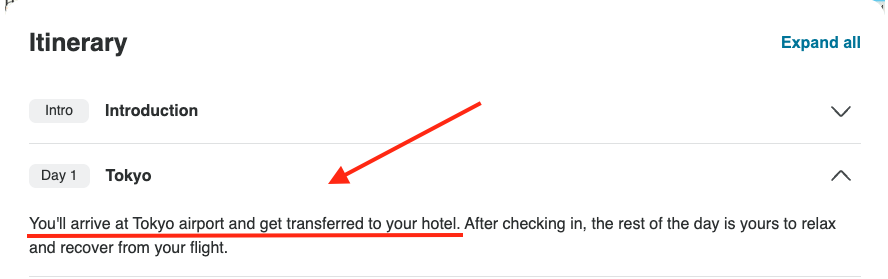
On the tour page, expand the Itinerary and look at the first and last days. Lines such as "your guide will meet you at the airport" or "transfers are included" mean airport transfers are part of the tour.
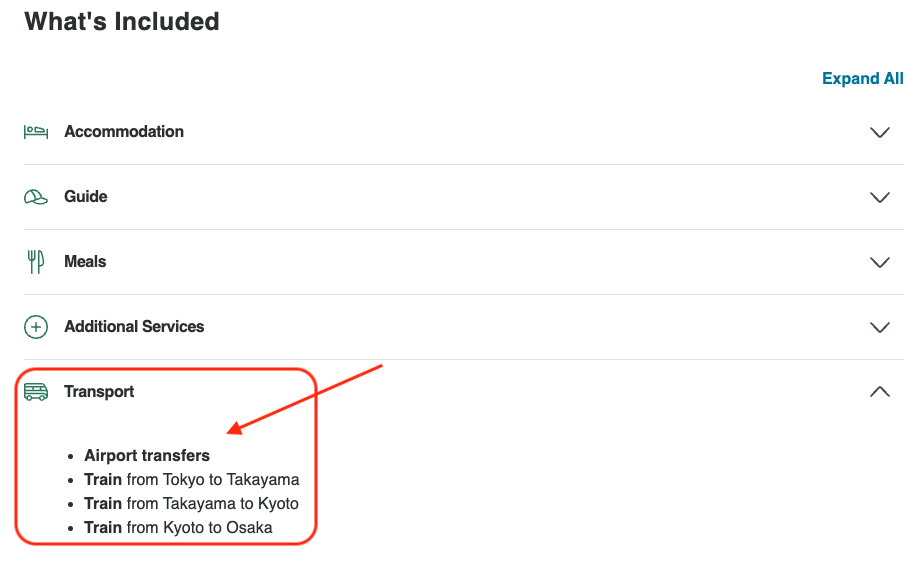
You can also check the What's Included section on the tour page. If airport transfers are listed there, they're included in the tour. This is the most reliable place to check.
How do I check if my booking includes an airport transfer?
If you've already booked, you can check the same details from your booking:
-
Log in to your TourRadar account.
-
Open your account menu and select Bookings.
-
Select your booking. This opens your Booking Conversation Page.
-
Click View tour page and check the Itinerary and What's Included sections.
If you're still not sure, send the operator a message from the Messages tab of your Booking Conversation Page, and they'll confirm what's included in your booking.
How do I book an airport transfer?
If an airport transfer isn't included in your booking, you can request one from the operator:
-
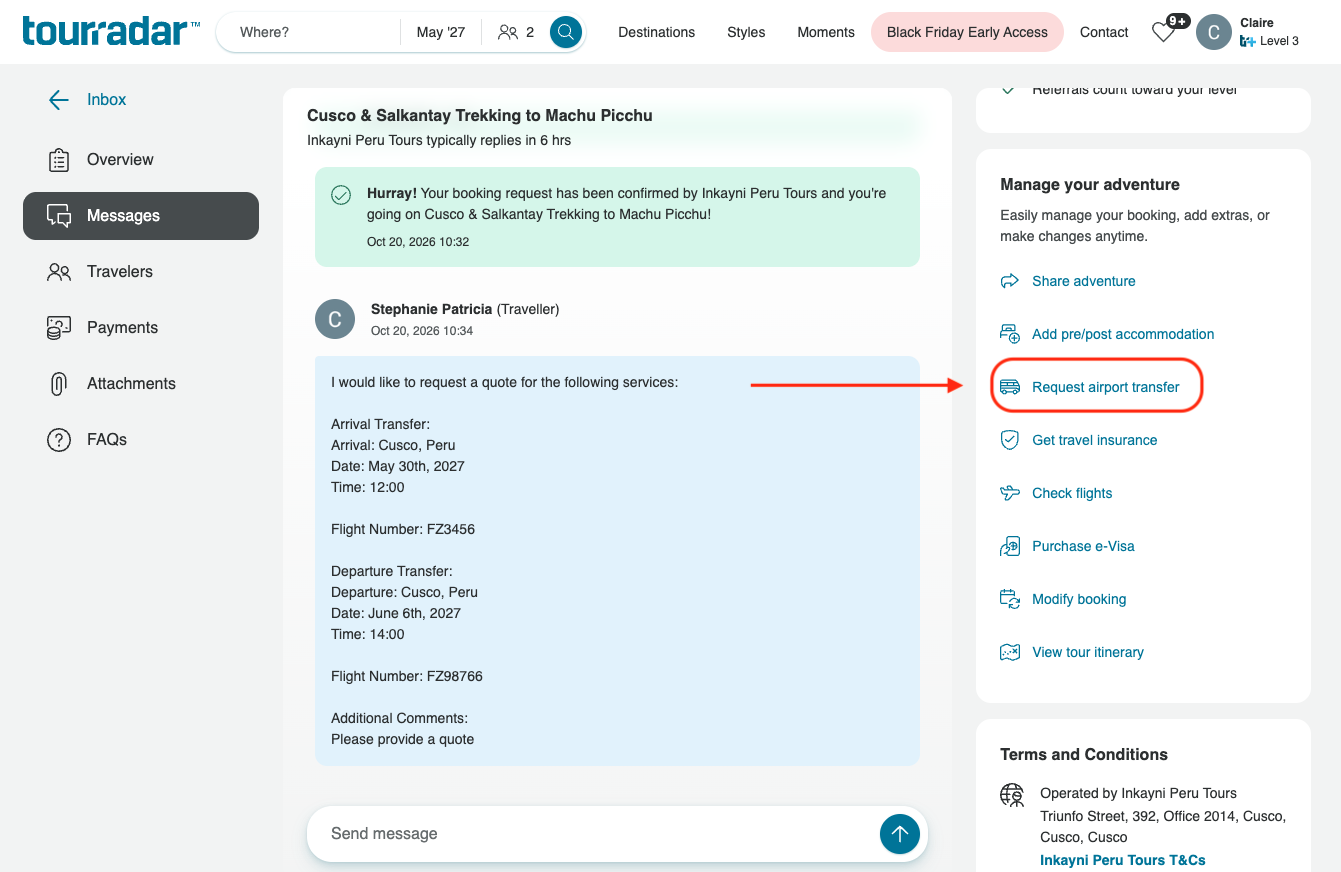
On your Booking Conversation Page, find the Request Airport Transfer button and click it.
-
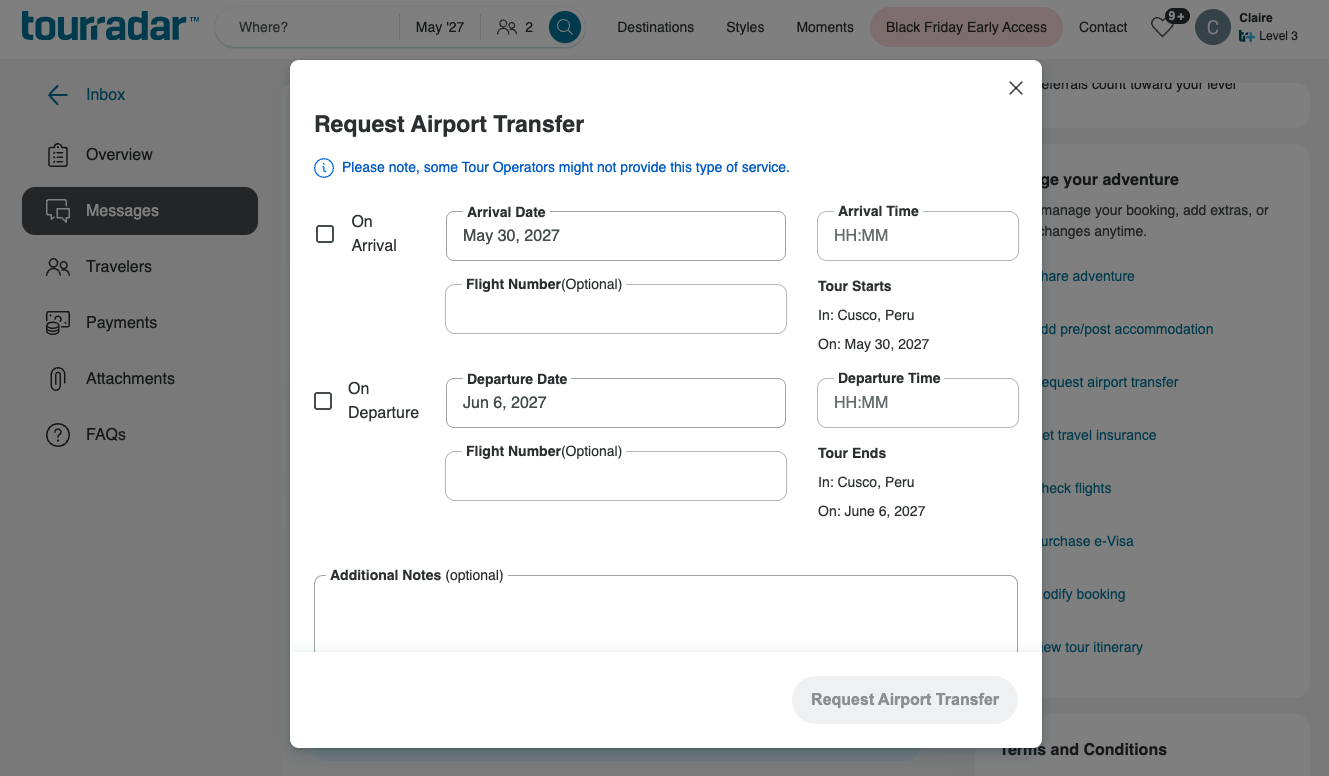
Fill in the form. You can request an arrival transfer, a departure transfer, or both by checking the relevant boxes, and add your flight details.
-
Click the Request Airport Transfer button to send your request.
What happens after I request an airport transfer?
Your request is sent to the operator as a message on your Booking Conversation Page, and the operator will reply with a quote. This can take 1 to 3 business days, and you can see the operator's typical response time on your Booking Conversation Page.
If you're happy with the quote, reply to the message to let the operator know. They'll add the airport transfer to your booking, and you can then accept the changes and make the payment on your Booking Conversation Page.
What else should I know about airport transfers?
-
Extra costs: Some operators charge extra for airport transfers. If they do, the cost is shown in the itinerary or the What's Included section.
-
Tour dates: Airport transfers usually only cover the main tour dates. If you're arriving early or staying on after your tour, you'll usually need to book pre- or post-tour accommodation through the operator before you can request a transfer for those dates.
-
Availability: In some destinations, airport transfers may not be available because of local logistics, and you will need to make your own arrangements.
Still need help? Our Customer Support team is here 24/7. Contact us.
Related questions