
Reset your password if you signed up with an email address and password.
If you signed up with Google, Apple or Facebook, there's no TourRadar password to reset, so log in with that same option instead. If you're not sure how you signed up, open the login page on tourradar.com. The option you used last time is marked Last used.
How do I reset my password?
-
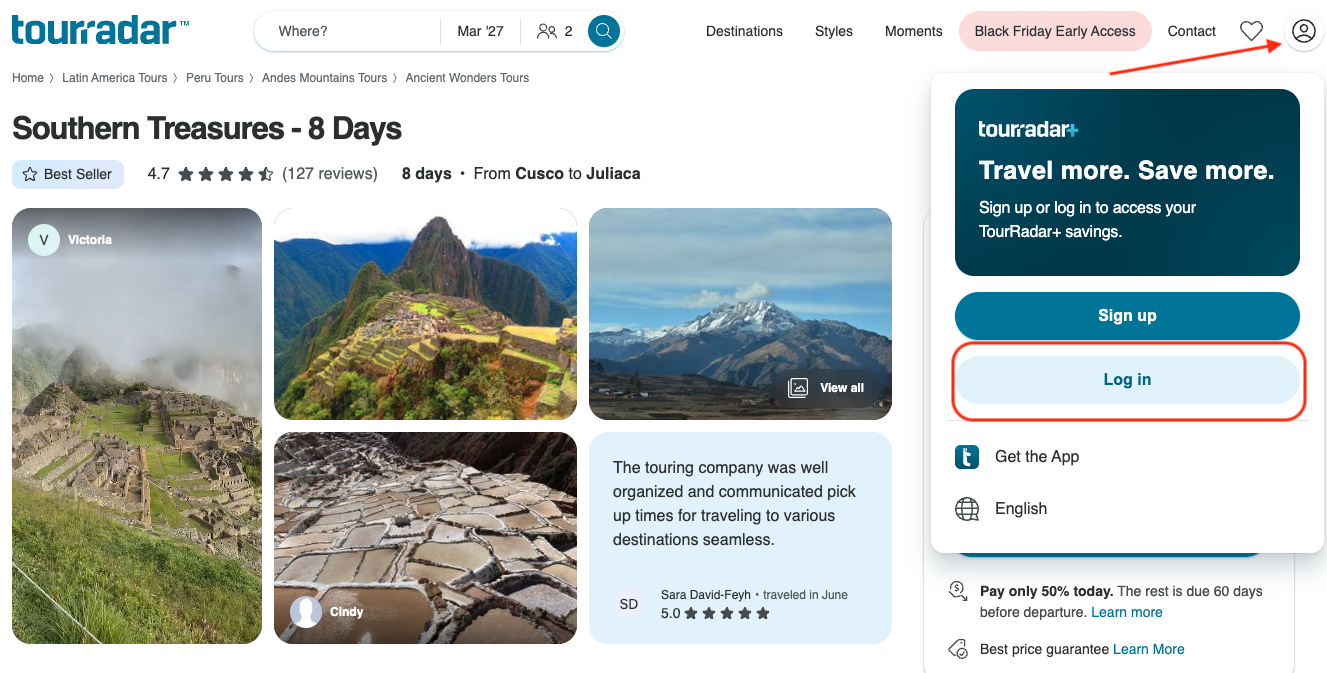
Open the login page on tourradar.com.
-
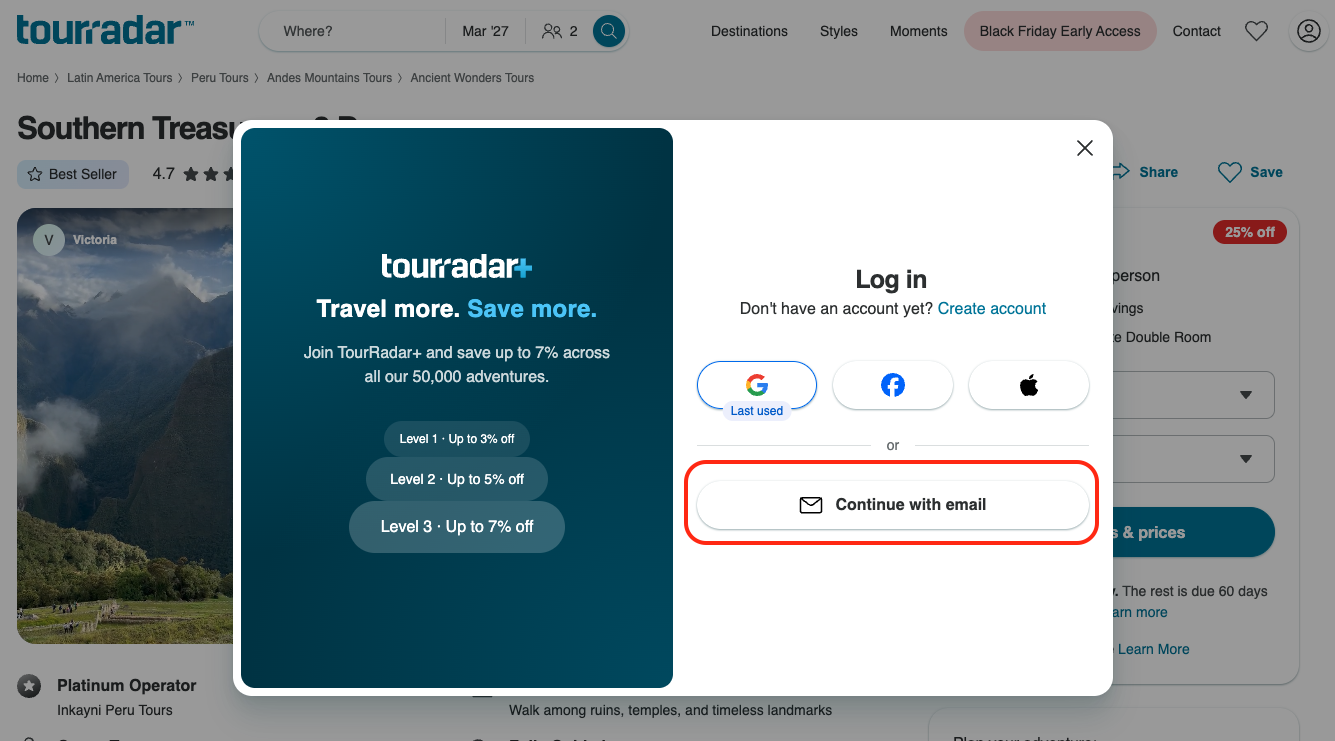
Select Continue with email.
-
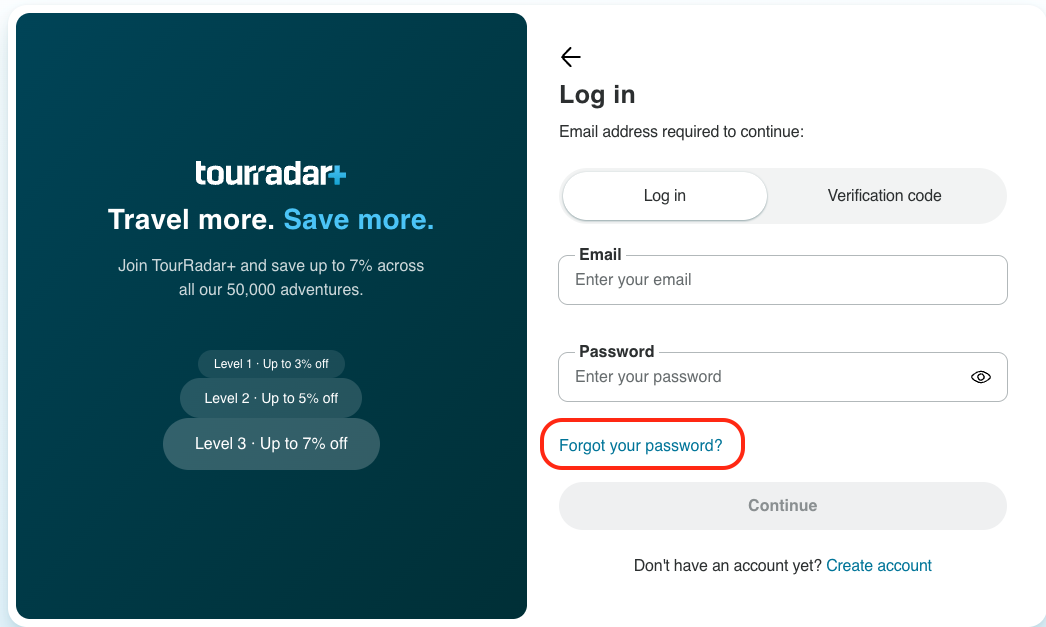
Select Forgot your password? This takes you to the password reset screen.
-
Enter the email address linked to your TourRadar account and select Submit.

-
Check your email for your 6-digit Password Reset Code. It's valid for 20 minutes.

-
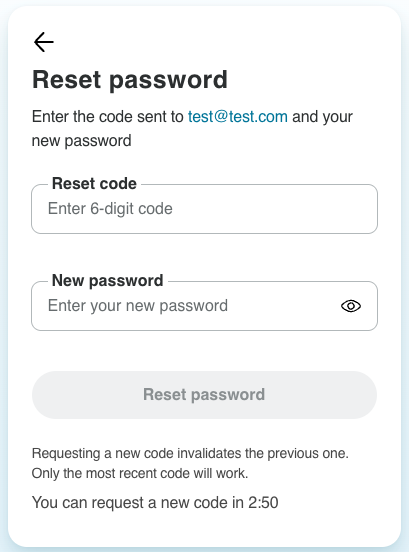
Go back to the reset screen, enter the code, and set your new password.
What does my new password need to include?
To keep your account secure, your new password must include:
-
At least 8 characters
-
At least 1 number
-
At least 1 uppercase letter
-
At least 1 lowercase letter
For your security, avoid reusing a password you use for other accounts.
I didn't receive the reset email or code
The most common reason a reset code doesn’t arrive is that you originally signed up with Google, Apple or Facebook. Password reset emails aren’t sent for these accounts, so log in with that same option instead.
If you signed up with an email address and password, try the following:
-
Enter your email address in all lowercase letters and try again.
-
Wait a few minutes, then check your spam or junk folder.
-
If you requested more than one code, use the code from the most recent email.
For more help, see Troubleshooting login issues on TourRadar.
Related questions
Still need help? Our Customer Support team is here 24/7. Contact us.