
Stay connected with your operator before and after booking.
All communication with your tour operator happens in one place: your Booking Conversation Page.
Each tour inquiry or booking has its own dedicated Booking Conversation Page. If you've contacted multiple operators or booked more than one tour, you'll have a separate page for each one.
This keeps all your messages, documents, and updates organized and easy to access, with everything related to that specific tour in its own Booking Conversation Page.
When you log in to your TourRadar account, go to My Inbox to access a list of all your Booking Conversation Pages. From here, you'll see every message thread. Each Booking Conversation Page is linked to a specific tour inquiry or confirmed booking.
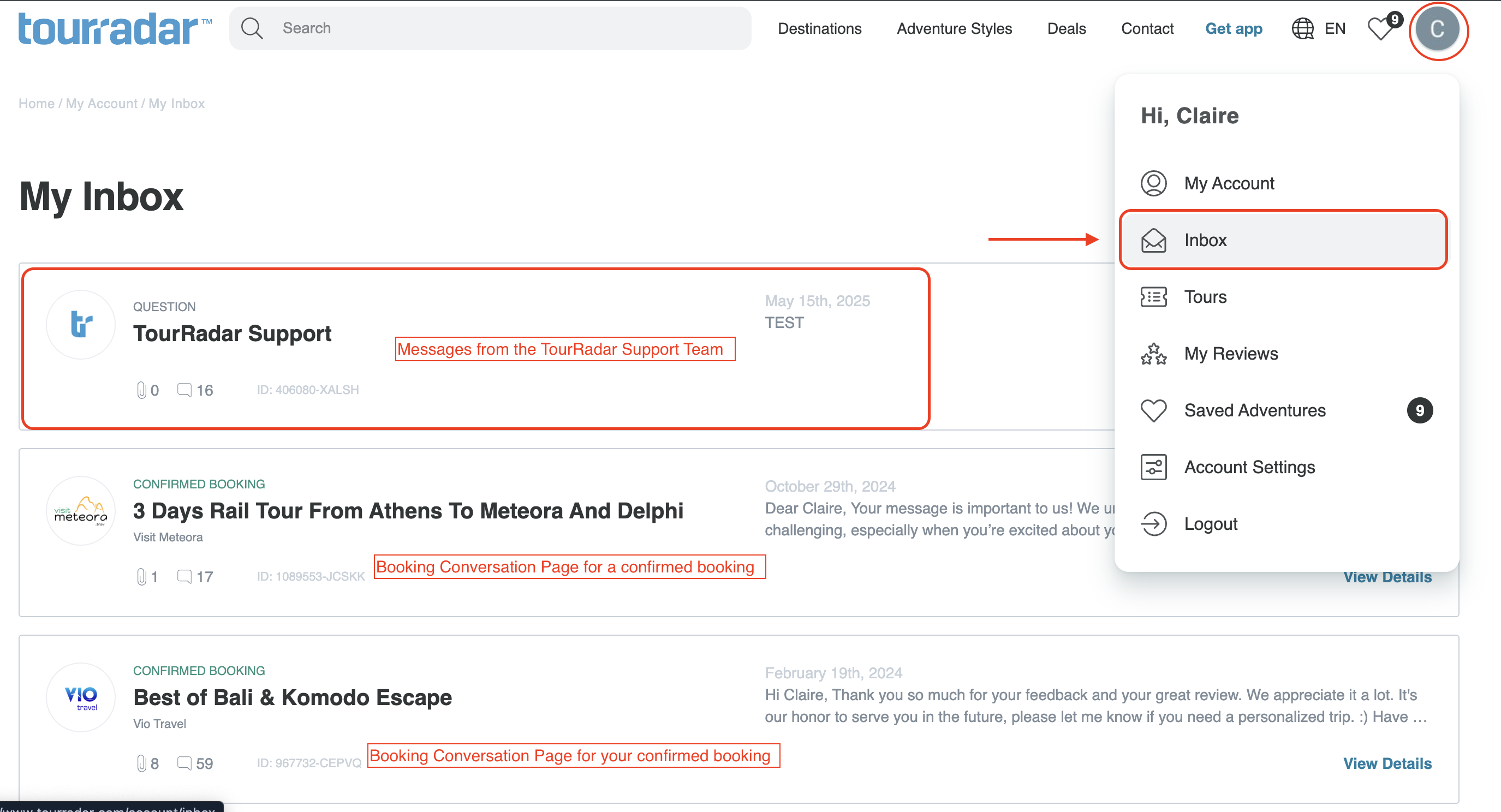
For more details, see What is the Booking Conversation Page, and how do I find it?
Sending a message
You can message the operator at any time:
-
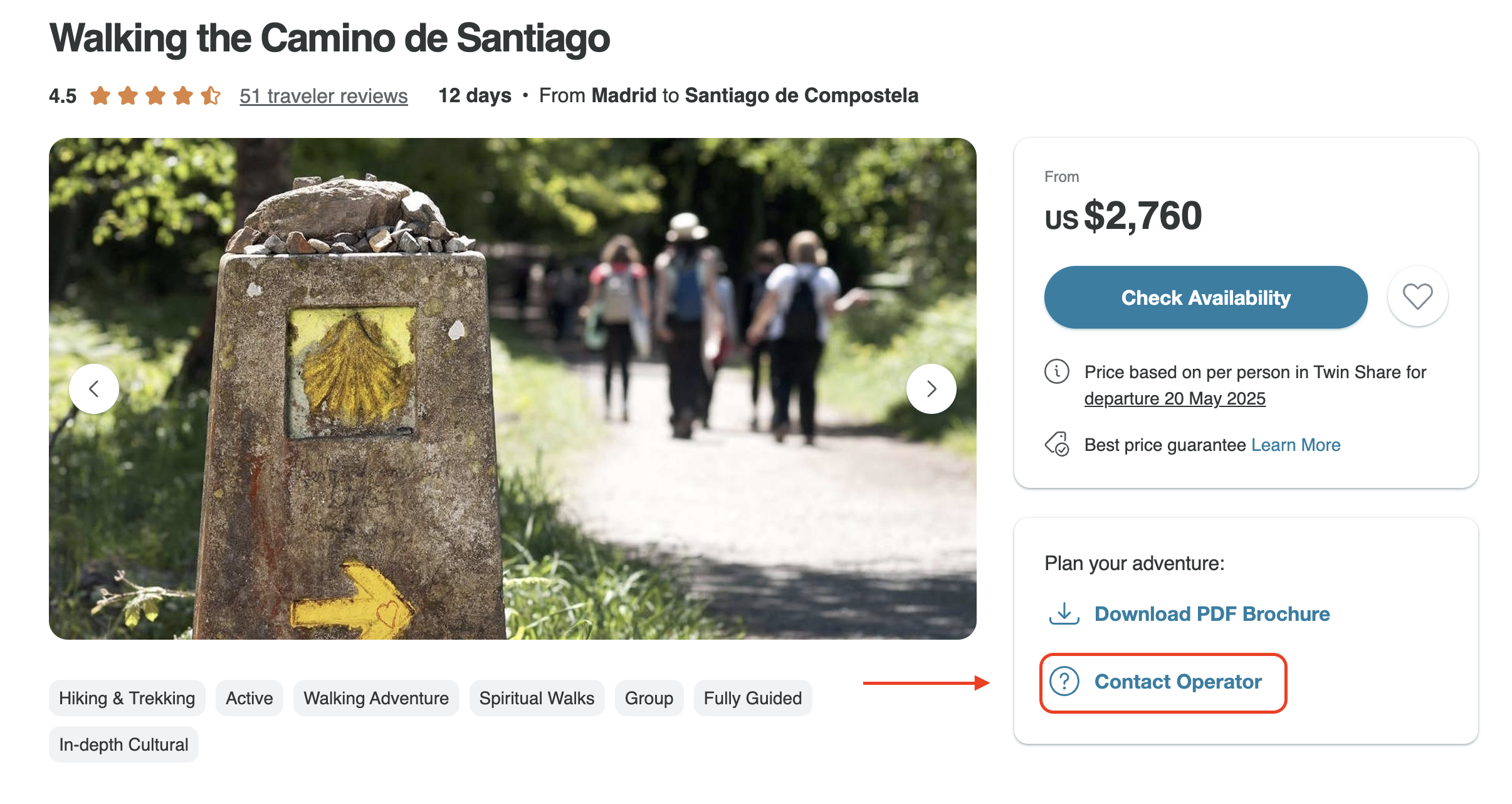
Before booking: use the Contact Operator button on the tour page. For more information, see How do I contact the tour operator through TourRadar?
-
After booking: log in to TourRadar, open the account menu, select Bookings, then select your booking to open its Booking Conversation Page. Go to the Messages tab to send your message. Your message will appear in the thread as soon as it's sent.
How do I read a message from my operator?
When an operator replies, you'll receive an email notification. Select View or Reply in the email to open your Booking Conversation Page.
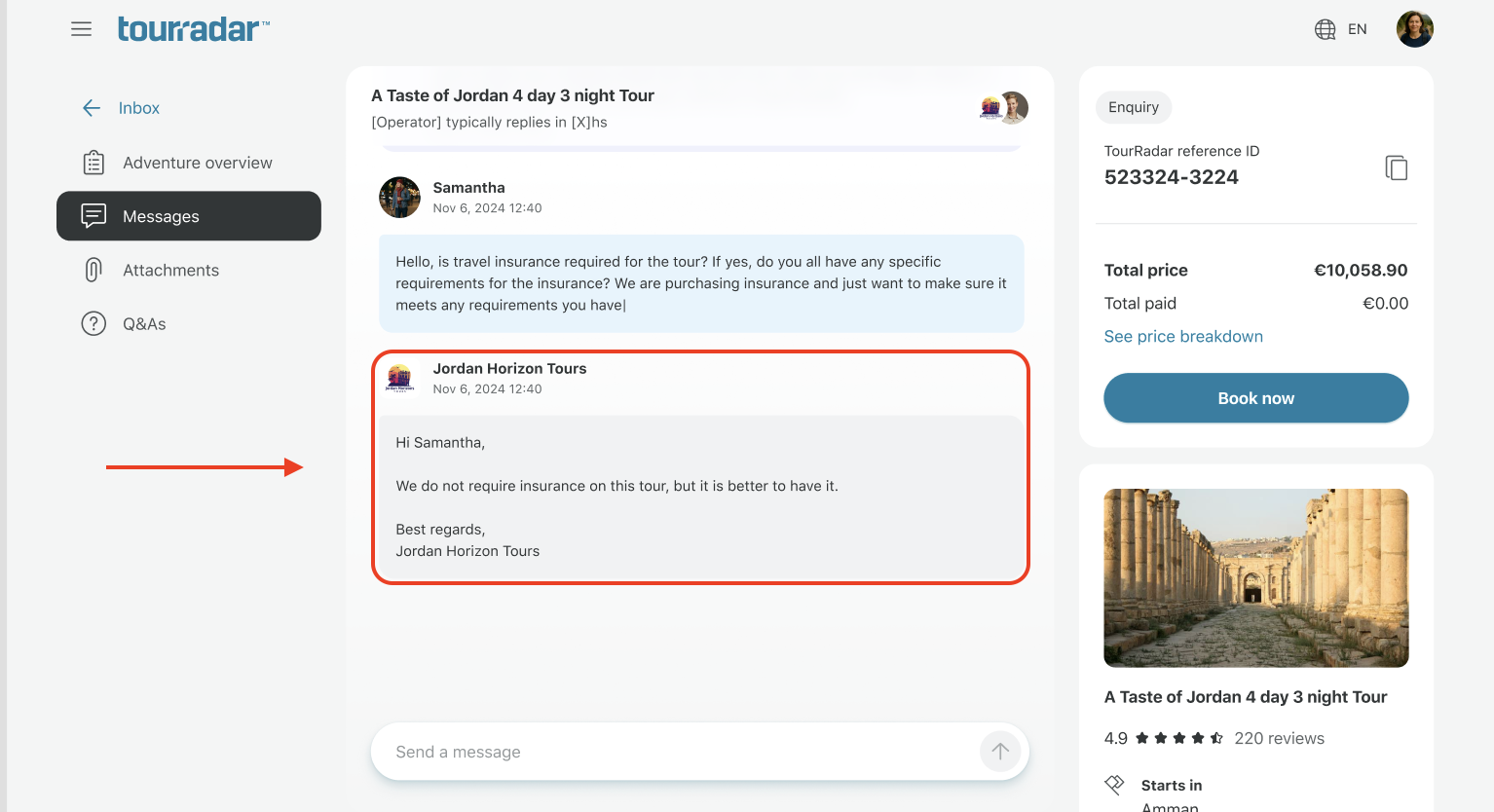
If you're not logged in on that device, you can log in, or use a One-Time Verification Code sent to the email address linked to your booking. With a code, you can read and reply to messages without logging in. To make a payment or see your other bookings, you'll need to log in.
For more on using a code, see How do I log in or sign up for an account?
Tips
-
Operators typically respond within 1–3 business days, depending on their time zone and availability.
-
Always use your Booking Conversation Page to message the operator and view replies, and don't reply directly to the email notification. This keeps everything connected to your booking and easy to track.
-
If you need help with your booking, you can also message TourRadar's Customer Support team from the same page.
Staying safe
Your safety matters to us! If you ever receive a message that feels off or if someone asks you to pay outside of TourRadar, please contact our Customer Support team right away. We're here to help.
Still need help? Our Customer Support team is here 24/7. Contact us.
Related questions