
Once you're signed in, you can see your TourRadar+ level and your savings right across TourRadar.
Your level lives on your account page, and your savings are built into the prices you see as you browse and book. Here's where to find each.
How do I know which TourRadar+ level I'm on?
When you're signed in, your TourRadar+ level is shown on your account page, along with how many bookings count toward it and how many more you need to reach the next level.
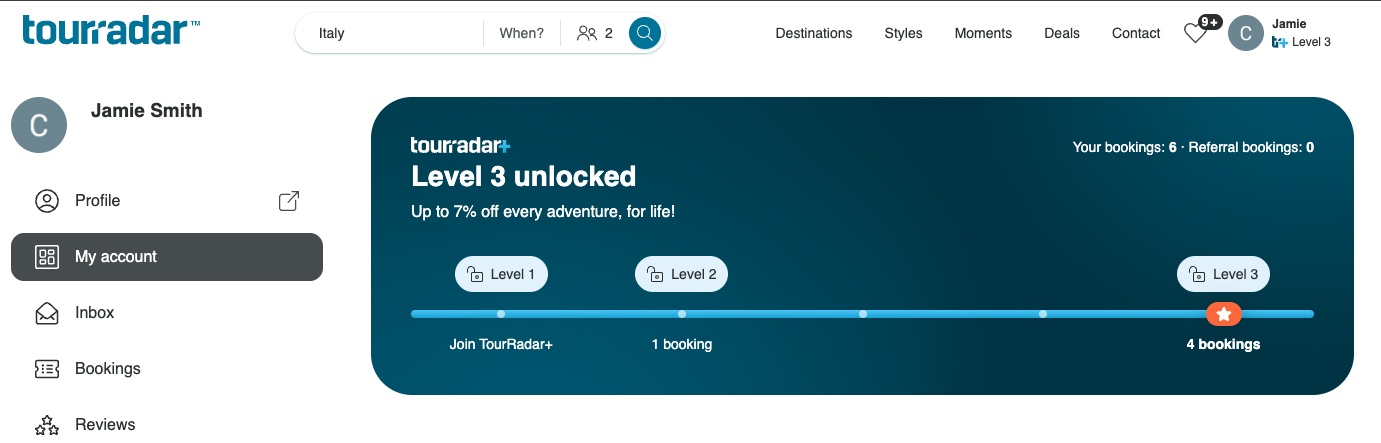
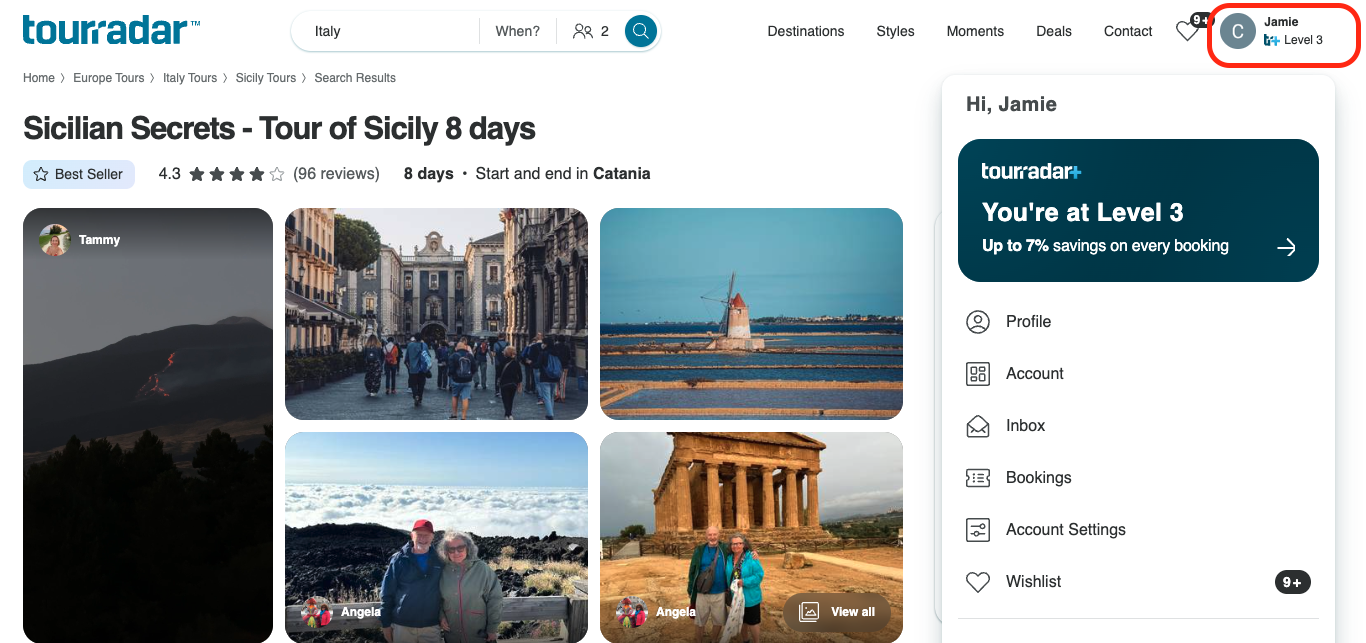
You can also see your level next to your profile icon whenever you're signed in.
How do I know if my savings are included in the tour price?
As long as you're signed in, your TourRadar+ savings are already built into the prices you see as you browse.
-
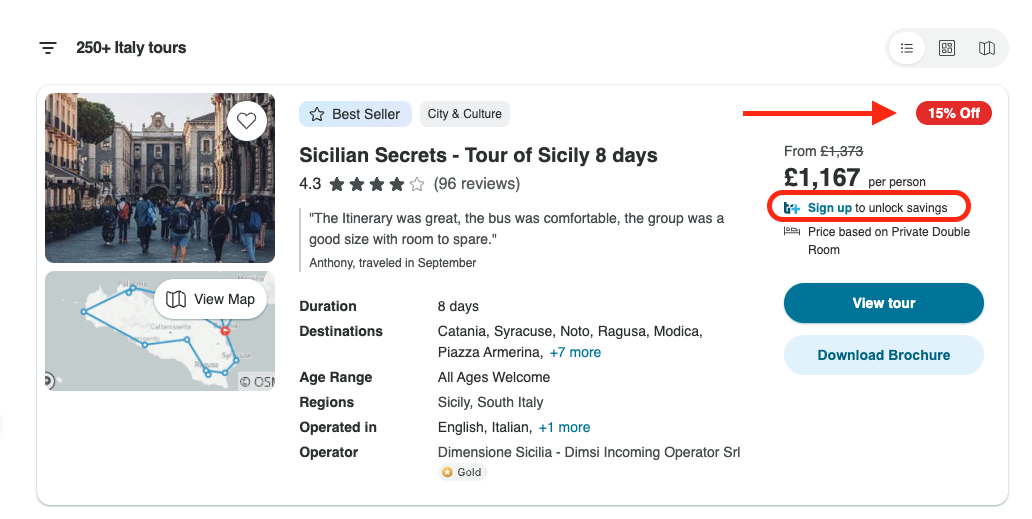
When you're signed out, you'll see the tour's standard price and any operator discount, along with a prompt to sign in and unlock your savings.
-
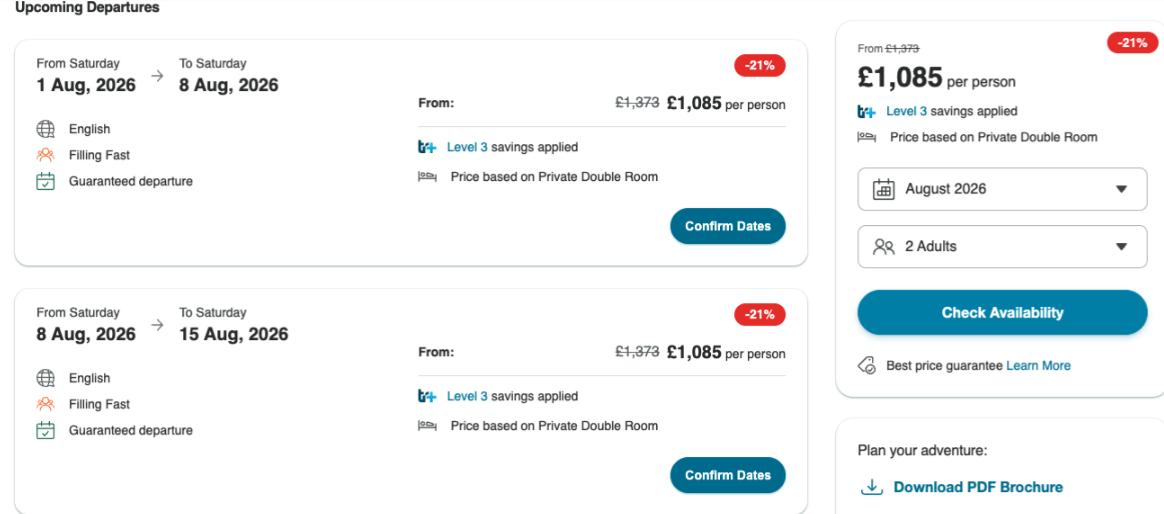
When you're signed in, your savings are applied automatically, and you'll see them reflected in the price on each tour.
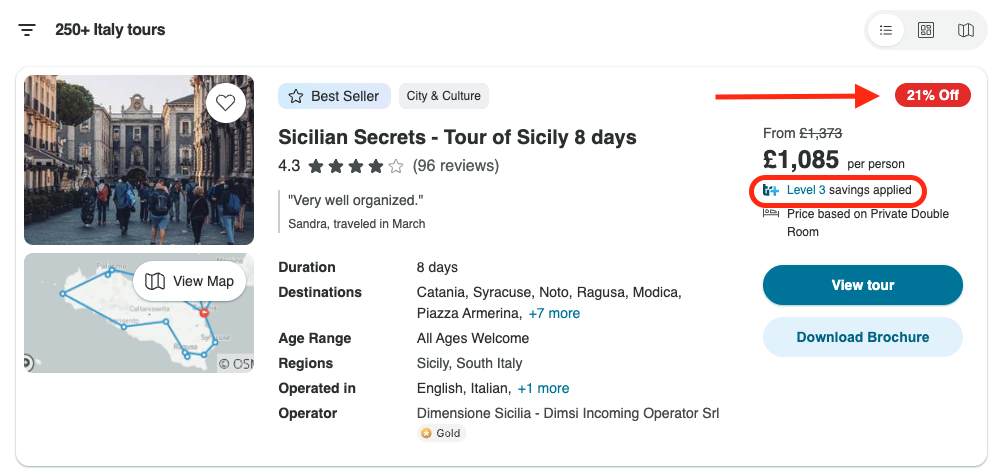
The percentage of savings shown when searching for tours, or looking at a specific tour includes any operator discount on that tour plus your TourRadar+ member savings, which depends on your level.
How do I know my exact TourRadar+ saving on a booking?
While you're browsing, the savings you see are based on the tour's "from" price and starting date, so they're a guide rather than an exact figure.
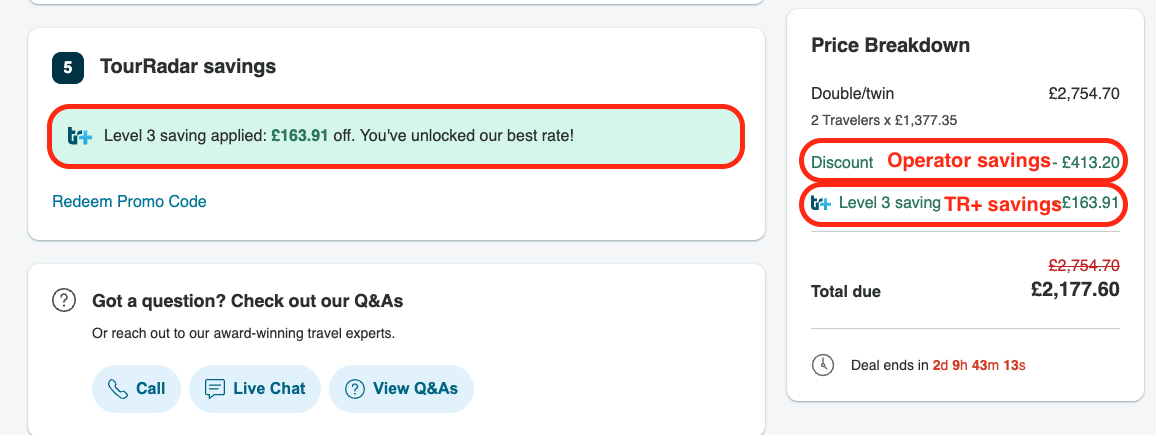
Once you go to book and choose your departure date, number of travellers and any add-ons, you'll see the exact savings on that booking, with your TourRadar+ member saving shown separately from any operator discount. That final price is the best price available to you.
Can I see my level and savings in the app too?
Yes. Once you're signed in, your level and savings show across both the TourRadar website and app.
I can't see my savings, why not?
The most common reason is simply being signed out, as your TourRadar+ savings only apply when you're logged in, so it's always worth checking that first. It's also worth knowing that not every operator has TourRadar+ savings (although most do), so a few tours won't show a TourRadar+ saving. Either way, you'll always see the exact savings before you book, and can compare your savings on each tour.
Still need help? Our Customer Support team is here 24/7. Contact us.
Related articles
-
How do TourRadar+ referrals work?