
Here's a step-by-step guide to checking tour availability on TourRadar.
Finding available dates for your chosen tour on TourRadar is straightforward and convenient. Here's how you can check the operating dates for any tour:
-
Navigate to the tour page: Start by going to the specific tour page on TourRadar.
-
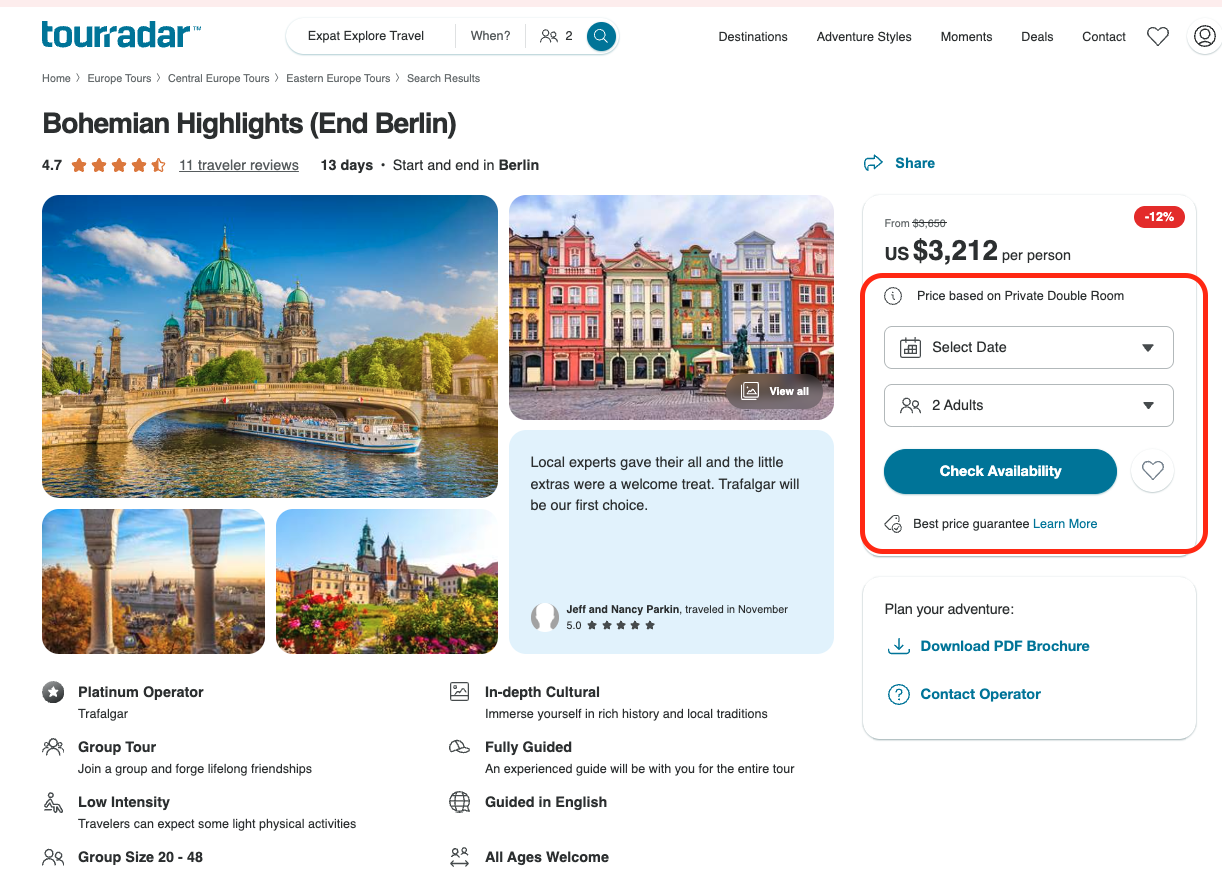
Access the availability section: Look for the ‘Availability’ section by scrolling down the tour page, or simply click the ‘Check Availability’ button. From there, you can select your travel month and number of travelers, then click ‘Check Availability’ to view available dates and pricing.
-
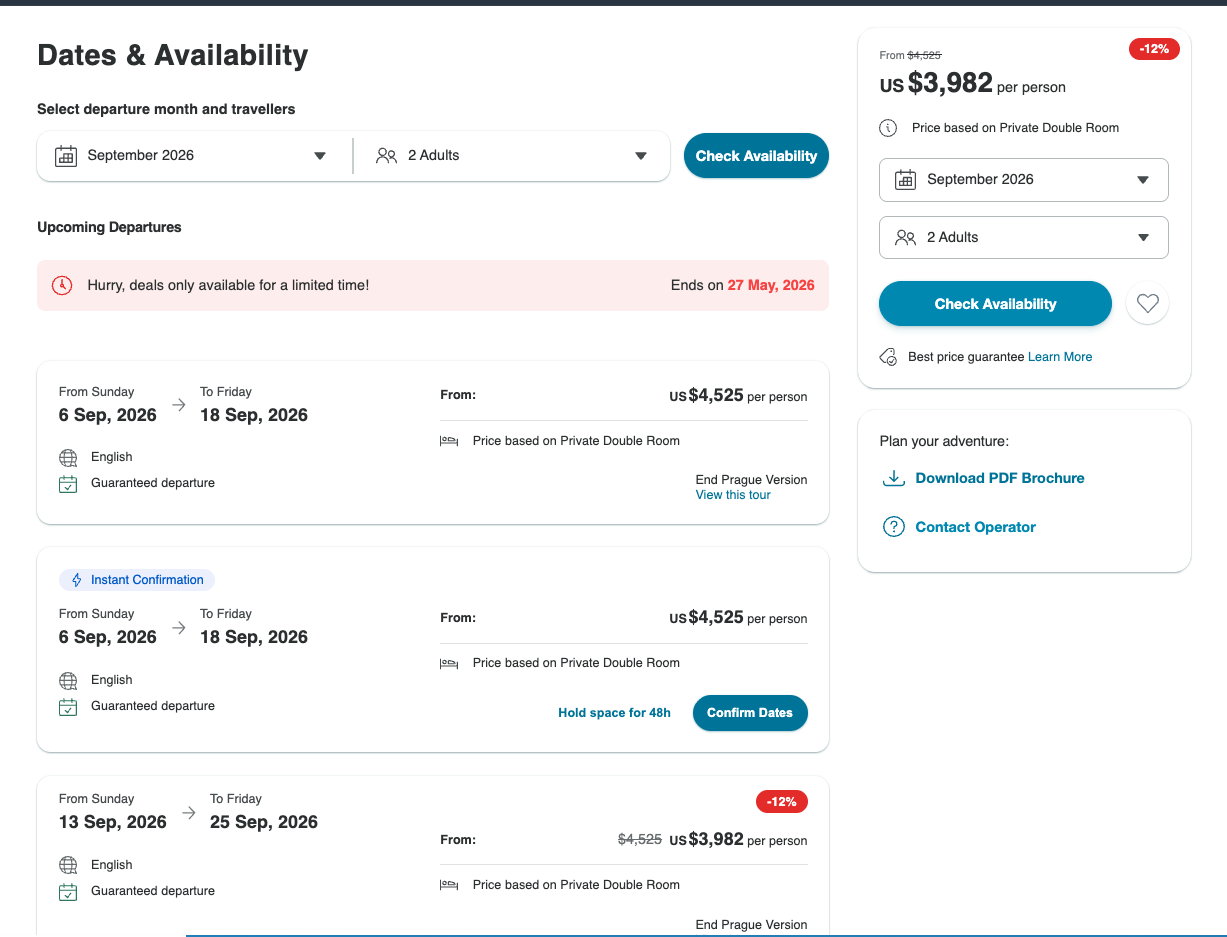
Review dates and pricing: In the Availability section, you'll find a detailed list of all available dates with the corresponding prices for each date. You can change the month to get dates and prices for different times of year.
-
Further inquiries: If you need more information about future scheduling or have other questions, don't hesitate to use the 'Contact Operator' button on the tour page. This feature allows you to communicate directly with the tour operator to get updates on upcoming dates or any other details you need.
.webp?cb=1d2f5d39e3bb17f53e6acc57d9549f53)
By following these simple steps, you can easily find out when you can embark on your next adventure, ensuring you're well-prepared for an exciting experience with TourRadar.