
Secure your spot with a deposit and pay the rest later, and find out when your final payment is due.
No, you don't need to pay the full price when you book. For most tours, you can pay a deposit to secure your spot and pay the rest later, either as one final payment or in installments.
The only exception is when you book close to your departure date, after the operator's final payment date has passed. In that case, the full price is due when you book.
What payment options can I choose when I book?
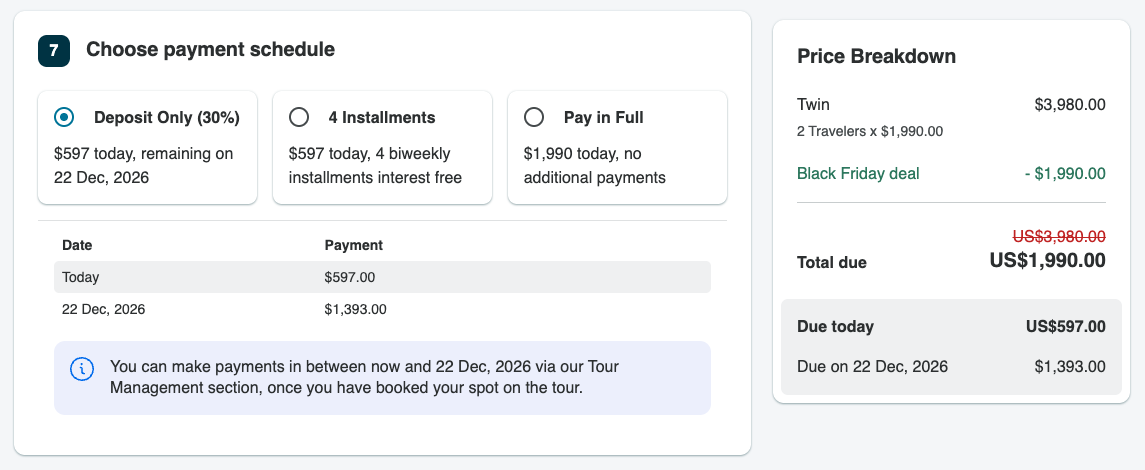
When you choose your dates and go to the Book Now page, you'll see the payment options for your tour. You can usually choose to pay a deposit now and the rest later, pay in installments, or pay the full price. The page also shows the deposit amount and your final payment date before you pay. Find out more in What payment plans can I choose on TourRadar?.
Can I pay in installments?
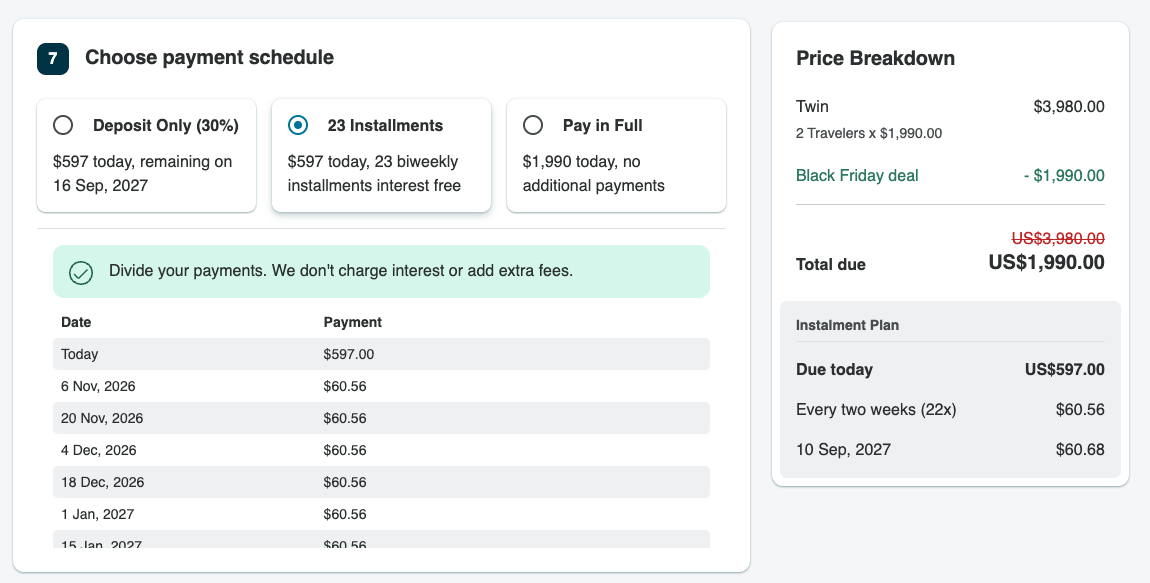
If you book your tour before the operator's payment deadline, you may be eligible to pay your remaining balance in installments, with payments automatically collected every two weeks. Find out more in How can I pay for my tour in installments?.
When do I need to pay in full when I book?
Each operator sets a final payment date, depending on their terms. If you book before that date, you can pay a deposit now and the rest later. If you book after it, the full price is due when you book.
For example, if you're booking a tour a year ahead, you can pay a deposit and then pay the rest by the final payment date, or in instalments. If your tour starts in a few weeks, you'll usually pay the full price when you book.
Why can't I choose to pay a deposit?
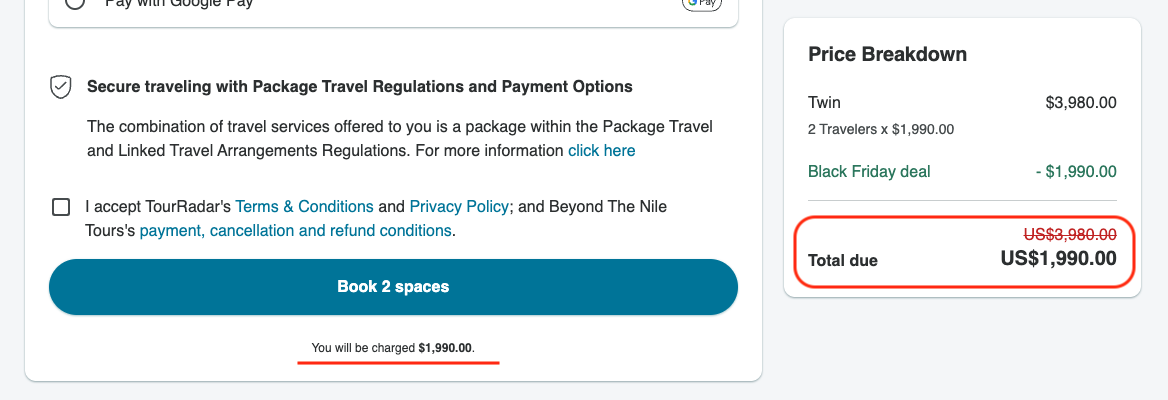
If you don't see the option to pay a deposit on the Book Now page, the operator's final payment date for your departure has already passed, so the full price is due when you book. In this case, you won't see a payment schedule. Instead, the Total due shows the full amount you'll pay when you book.
Where can I find my final payment date after booking?
-
Log in to your TourRadar account.
-
Open your account menu and select Bookings.
-
Select your booking. This opens your Booking Conversation Page.
-
On the Overview tab, the Price breakdown shows what you've paid so far and your final payment date.
-
Select See payment history, or open the Payments tab, for the full details of your payments.
You'll also receive an email reminder two weeks before your final payment is due. Find out more in How do I pay my tour balance?.
Who can I ask about payment terms?
Before booking, you can ask the operator using the Contact Operator button on the tour page. After booking, send the operator a message from the Messages tab of your Booking Conversation Page.
Still need help? Our Customer Support team is here 24/7. Contact us.
Related questions