
TourRadar provides self-service reports in the Partner Portal to help Travel Agents, Advisors, and Ambassadors track commission payments and outstanding balances.
How to access your reports
-
Log in to your Partner Portal.
-
Go to the Reports tab.
-
Choose the report that best matches what you're looking for:
-
Payout Summary → View commissions that have already been paid/released by TourRadar. Click on a payout to see which bookings are included.
-
Payout Details → View the individual bookings and commission details included in a completed payout.
-
Open Balance → View commissions that are still outstanding and have not yet been paid. You can select a currency to see the corresponding open balances.
-
Find booking by TourRadar reference → Enter a TourRadar booking reference to check the financial status of a specific booking, including whether there is an outstanding or paid commission.
-
Monthly Commission → View an overview of your commissions grouped by their payment due-date month.
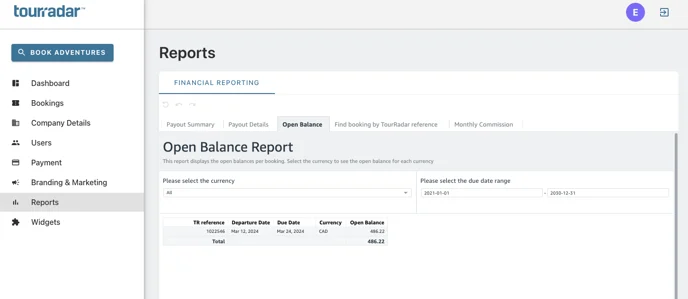
If a commission appears under Payout Summary or Payout Details, this means the payment has already been released by TourRadar.
If you're an account admin and if the payment has been released to your TourRadar Wallet, please follow the steps here to remit the funds:
How can I remit a payment from my TourRadar Wallet?