
Updating your payment information is an important step in managing your bookings effectively.
You can update your payment method directly in your TourRadar account. Here's how:
Step 1: Log in and open your booking
-
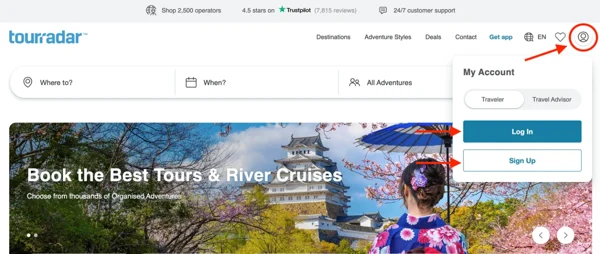
Log in to your TourRadar account
-
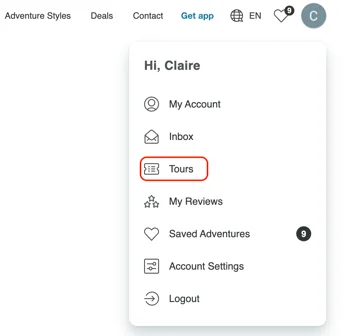
Select ‘Tours’ from the dropdown menu
-
Click on the tour you’d like to update payment details for
Step 2: Go to payment settings
-
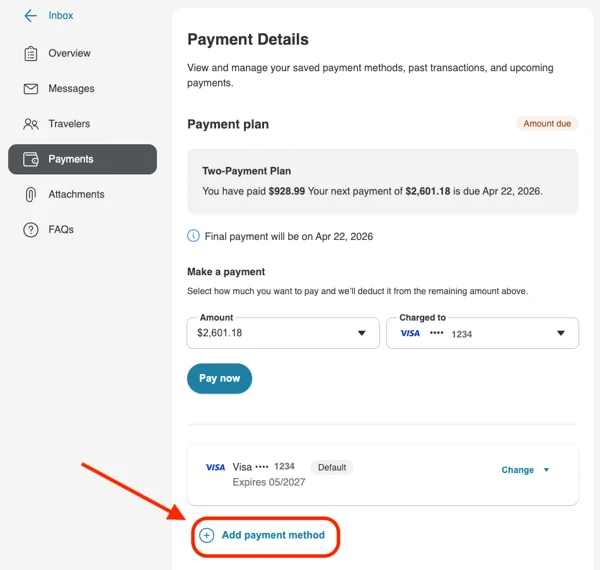
On the left-hand side of your booking page, select the ‘Payment’ tab
-
Click ‘Add Payment Method’ and enter your new card details
Step 3: Set your default card (if needed)
-
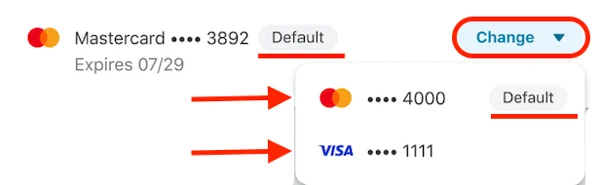
If you have an upcoming automatic payment (like your final balance or your installment plan), and you want it charged to your new card, click ‘Change’ and set the new card as your default payment method
Step 4: Make a payment manually (optional)
If you'd like to make a payment right away using your new card:
-
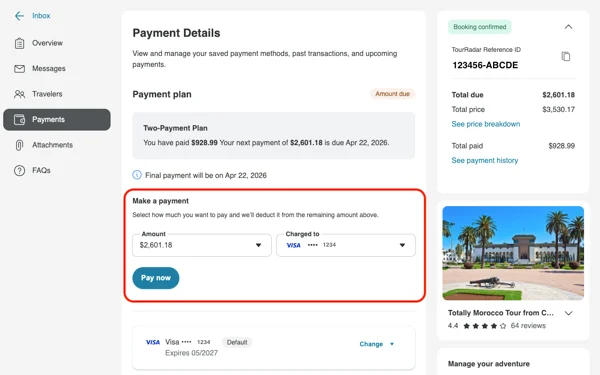
In the 'Payments' tab, go to the 'Make a Payment' section
-
Select the amount you'd like to pay (to note, you can only select set denominations i.e $200, $400, $600 etc, or the final balance due)
-
Choose the card you want to use
-
Click ‘Pay now’
Track your payment history
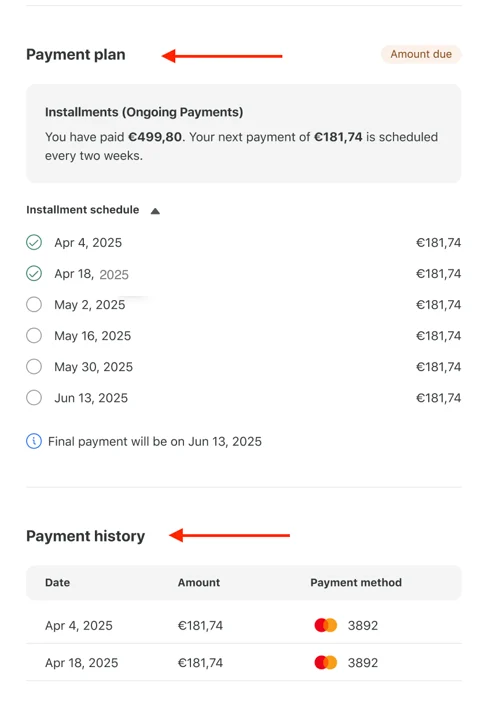
At the bottom of the Payment Details page, you can view:
-
All past payments
-
Any upcoming payments, including your instalment plan (if applicable)
Which card will my payments be charged to?
Automatic payments, such as your final payment or installments, are charged to the card set as the default on your booking. If you've added a new card but haven't set it as your default, your payments will still be charged to your previous card.
If you think a payment has gone to the wrong card, check which card is set as your default on the Payments tab, and update it for any future payments. If you have a question about a payment that's already been taken, send us a message from your Booking Conversation Page.
Keeping your card details up to date helps avoid missed payments and ensures a smooth experience leading up to your tour.
If you run into any issues, TourRadar’s support team is always here to help.