Here's a step-by-step walkthrough of how to complete your host onboarding and request your first trip directly in the Partner Portal.
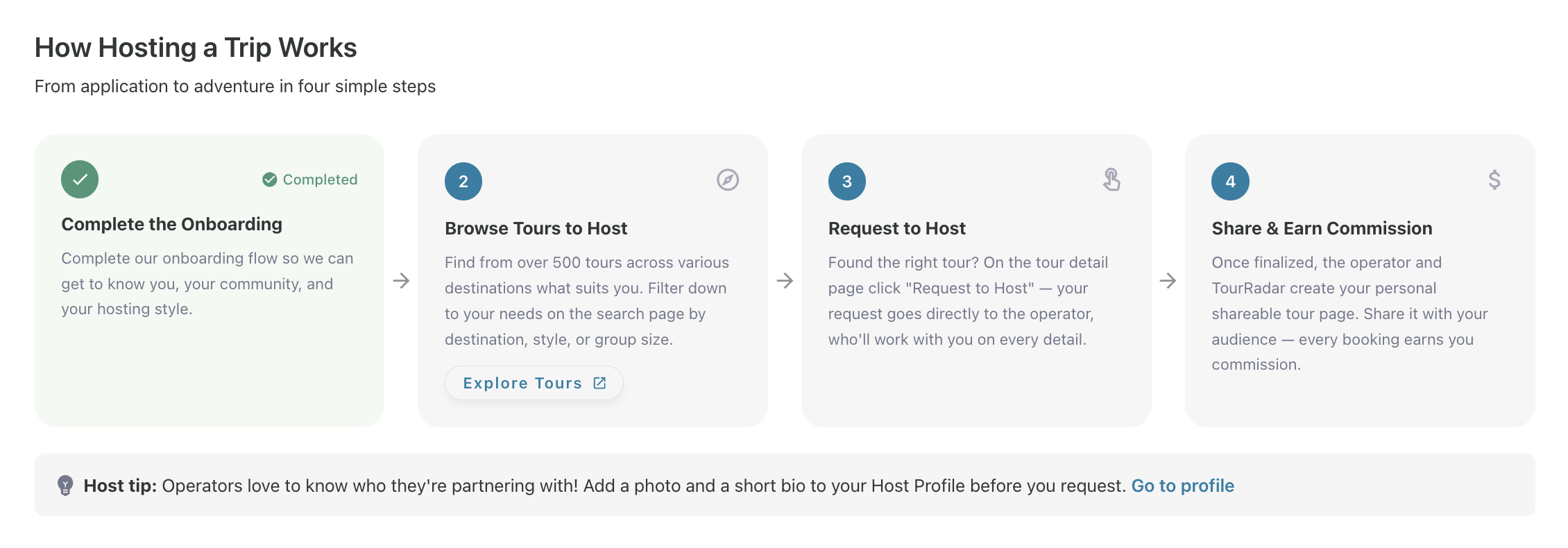
Step 1 — Complete the host onboarding
In your Partner Portal, navigate to Hosted Trips in the left menu and click Become a Host. You'll be guided through a short 6-step form that covers:
-
Your name and basic details
-
Where your community lives — link your Instagram, TikTok, Facebook, YouTube, or website. If you don't use social media, tick "I don't use social media for my community."
-
Your niche and audience
-
Your travel preferences
-
Any additional context that helps operators understand who you are
💡 Tip: Tours move faster when operators can see your bio and social links. Make sure your partner profile is complete before requesting a trip.
Step 2 — Browse available trips
Once onboarding is complete, click Explore Tours to Host. You'll see a curated selection of destinations and tours available for hosting. https://www.tourradar.com/f/hostable
Each listing shows:
-
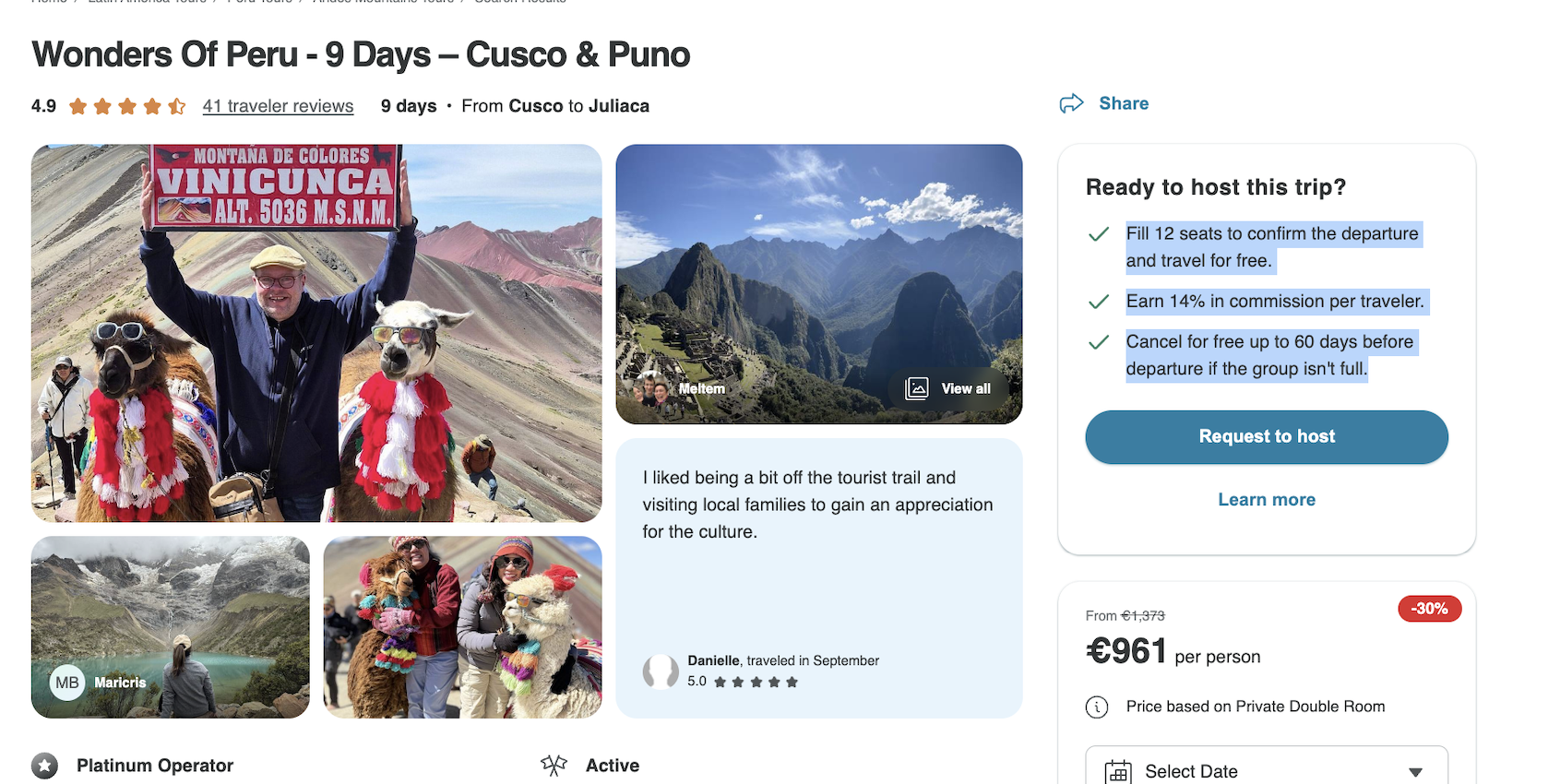
The minimum number of paid seats required to confirm the departure and unlock your complimentary spot
-
Your commission rate (as a percentage of the tour price per traveller)
-
The operator's cancellation cut-off deadline
Step 3 — Request to host
Open a tour that fits your audience and click Request to host. This connects you directly with the operator to get started. There is no separate approval process — once you've completed onboarding you can request trips straight away.
Step 4 — Add your Host Moment and confirm details
Add 1–2 personal moments that make the trip feel like yours — a specific activity, a hidden gem, a meaningful experience. You'll also confirm your preferred departure date and any group requirements with the operator at this stage.
Step 5 — Share your trip page
TourRadar provides a ready-to-use Tour Detail Page for your trip, built by the operator and including the full itinerary, pricing, photos, and a direct booking option. You can use the page as-is or personalise it. Once it's ready, simply share the link with your audience — through social media, your newsletter, stories, or your link-in-bio — and your community can book directly. How to share: https://www.tourradar.com/mlp/rise-partner-sharing-links